fSpy Importer for Maya and 3ds Max, Photo Camera Match
Bring an fSpy camera match into Maya or 3ds Max.
Get it for Maya Get it for 3ds Max Read the documentation
What it does
- Imports fSpy projects into Maya and 3ds Max
- Matched camera with the photo as image plane or viewport background
- Free and open source (GPL)
Import an fSpy camera match in one click
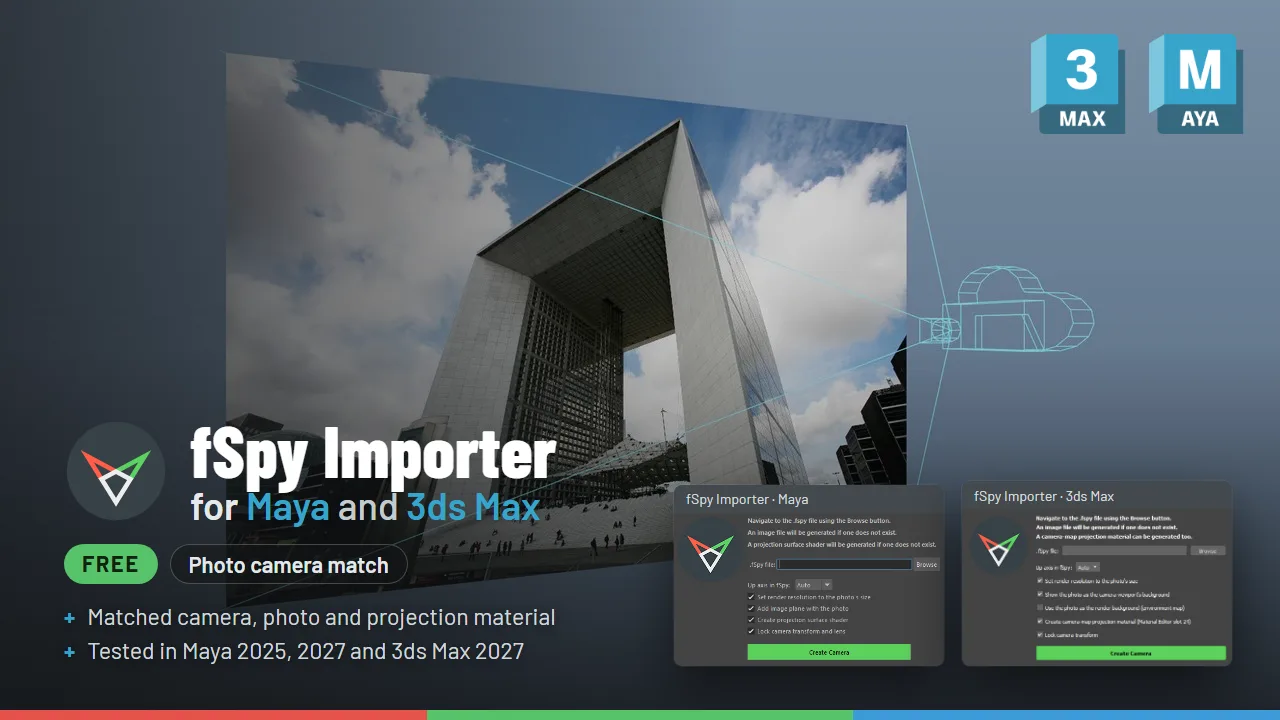
fSpy matches a camera to a single photo from its perspective lines. This free importer turns the saved .fspy project into a ready-to-use camera, with the photo behind it and a projection material, so you can model, animate or composite against the photo right away. It works with any image size and aspect ratio. There is one download for Maya and one for 3ds Max.
In Maya
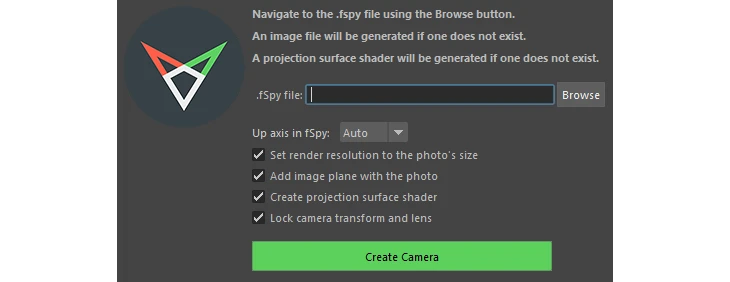
- A matched camera with the position, rotation, focal length and field of view from the fSpy solve, including film offset for off-center principal points.
- An image plane showing the reference photo, pushed behind your scene.
- Render resolution set to the photo’s size.
- A camera projection surface shader that projects the photo onto your geometry (optional).
Up axis is automatic (Maya is Y-up), or choose it yourself for photos looking straight down. Tested in Maya 2025 and 2027 (Python 3).
In 3ds Max
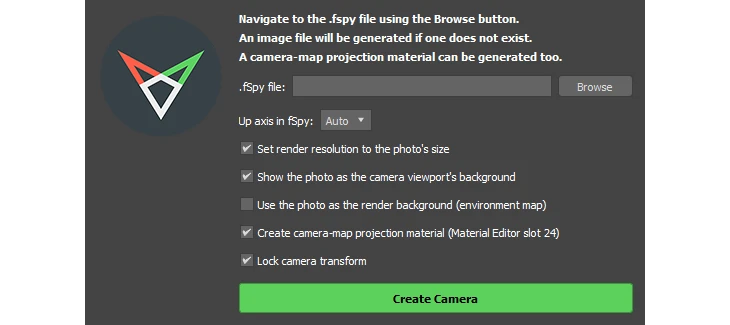
- A matched Physical Camera with the position, rotation, field of view and lens shift from the fSpy solve, including off-center principal points.
- The photo as the camera viewport’s background, with the viewport looking through the camera.
- Render resolution set to the photo’s size, and the photo as a render background if you want it (optional).
- A camera-map projection material that projects the photo onto your geometry (optional).
Up axis is automatic (3ds Max is Z-up). It installs with a drag and drop installer and adds an LP Tools menu. Requires 3ds Max 2025 or newer (Python 3 with PySide6), tested in 3ds Max 2027.
Both versions
The photo embedded in the .fspy file is extracted automatically, so there is nothing extra to manage. If you set a reference distance in fSpy, the camera comes in at real-world scale in your scene’s units, and you can lock the camera so the match cannot be nudged by accident. The whole import is one undo step.
About fSpy
fSpy is free, open-source camera matching software by Per Gantelius. These importers follow his official fSpy importer for Blender and are free and open source too, under GPL-3.0. Because the code is open, porting the importer to more apps is fairly straightforward, and the 3ds Max version is the second one after Maya.
Based on fSpy by Per Gantelius, released under GPL-3.0-or-later.