Repack, PBR Texture Packer for Windows
Drop in a folder of maps, pick Unreal, Unity, Godot or glTF, and get a correctly packed, named and converted texture set in seconds.
Get the tool Read the documentation
What it does
- Reads your file names (diff, nor_gl, rough, disp, ao, _D, _N, ORM, Mask Map and more)
- Presets for Unreal, Unity (URP, Built-in, Specular), Godot and glTF, plus separate maps and Convert only
- DirectX and OpenGL normal flips, roughness and gloss, metal and specular conversions
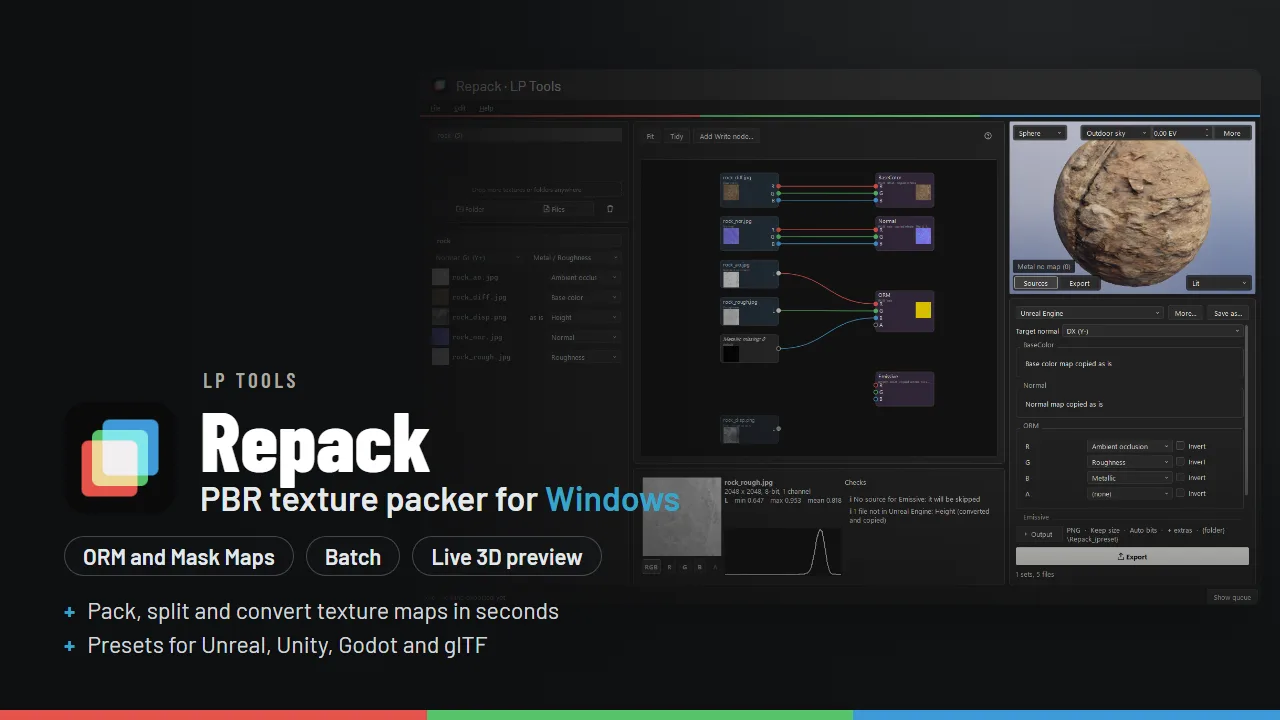
- A node graph with a pin per channel, and a live 3D preview with real displacement
- Batch whole folders on every core, UDIM tiles and a watch folder
Pack, split and convert PBR textures in seconds
Drop in a folder of maps, pick a target, and Repack writes a correctly packed, named and converted set. ORM and Mask Maps, flipped normals, roughness to gloss, resized and in the format you need. It is the 20 minute texture chore, done in about 20 seconds.
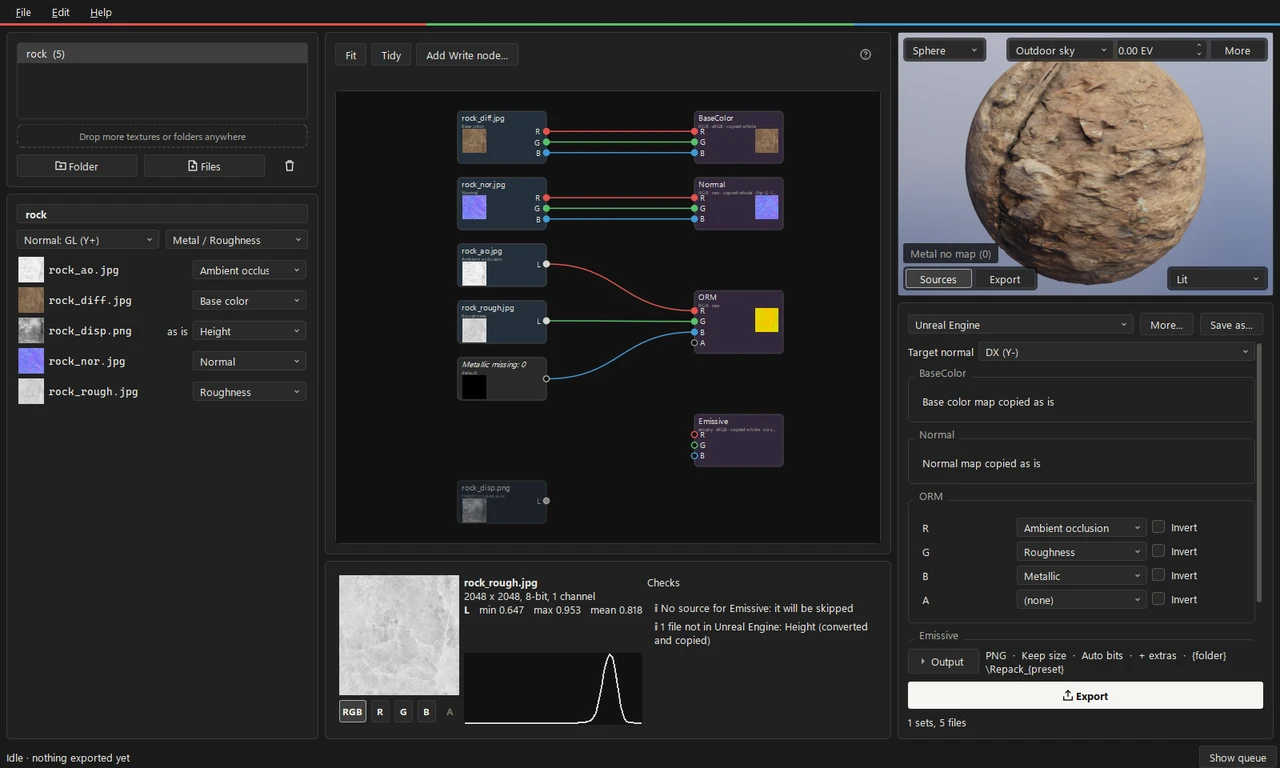
What it does
- Reads your file names: diff, nor_gl, rough, disp, ao,
_Dand_Nstyle suffixes, ORM and Mask Map packs and more. A wrong guess is one dropdown away. - Presets for Unreal, Unity (URP, Built-in, Specular), Godot and glTF, plus separate maps with a GL or DX normal and a Convert only preset. Edit the channel matrix and save your own.
- Conversions: DirectX to OpenGL normals, roughness to gloss, metal and roughness to specular and gloss, resize, bit depth with dithering, and PNG, TGA, JPG, TIFF, EXR or game-ready DDS output (BC7, BC5, BC4 and BC6H, with mipmaps). Reads PNG, JPG, TIFF, TGA, EXR, BMP, HDR and DDS.
- A node graph like Nuke’s: every file is a node with a pin per channel, wired into the outputs the preset writes. Drag a wire to change what goes where, and compare before and after on any node.
- A live 3D preview: your material on a sphere, cube, plane or draped cloth, with real displacement from the height map. Switch between your sources and what the preset will export, so a wrong channel or a flipped normal shows before you export.
- Checks: mixed sizes, normal maps that are not unit length, a missing map for an output and more, with a fix button where it can help.
- Batch work: a whole folder of sets at once on every core, several presets in one go, UDIM tiles, and a watch folder that converts new sets as they appear.
- Safe: your source textures are never touched, and nothing is written until you press Export.
Good to know
Repack is in beta. It is not code signed yet, so Windows SmartScreen may show “Windows protected your PC” the first time: click More info, then Run anyway. Repack never uploads your files. Its only network use is an optional once-a-day check for a newer version, which you can turn off. Real displacement in the 3D view needs a graphics card with OpenGL 3.0, or the built-in software mode.
Requirements
Windows 10 or 11, 64-bit. There is nothing to install: unzip the download and run Repack.exe.