Maya Modifier Stack, a 3ds Max Style Modify Panel
A 3ds Max style Modify panel for Maya. Stack deformers and modifiers on a mesh, reorder them, switch them on and off, and keep the whole setup non-destructive.
Get the tool Read the documentation
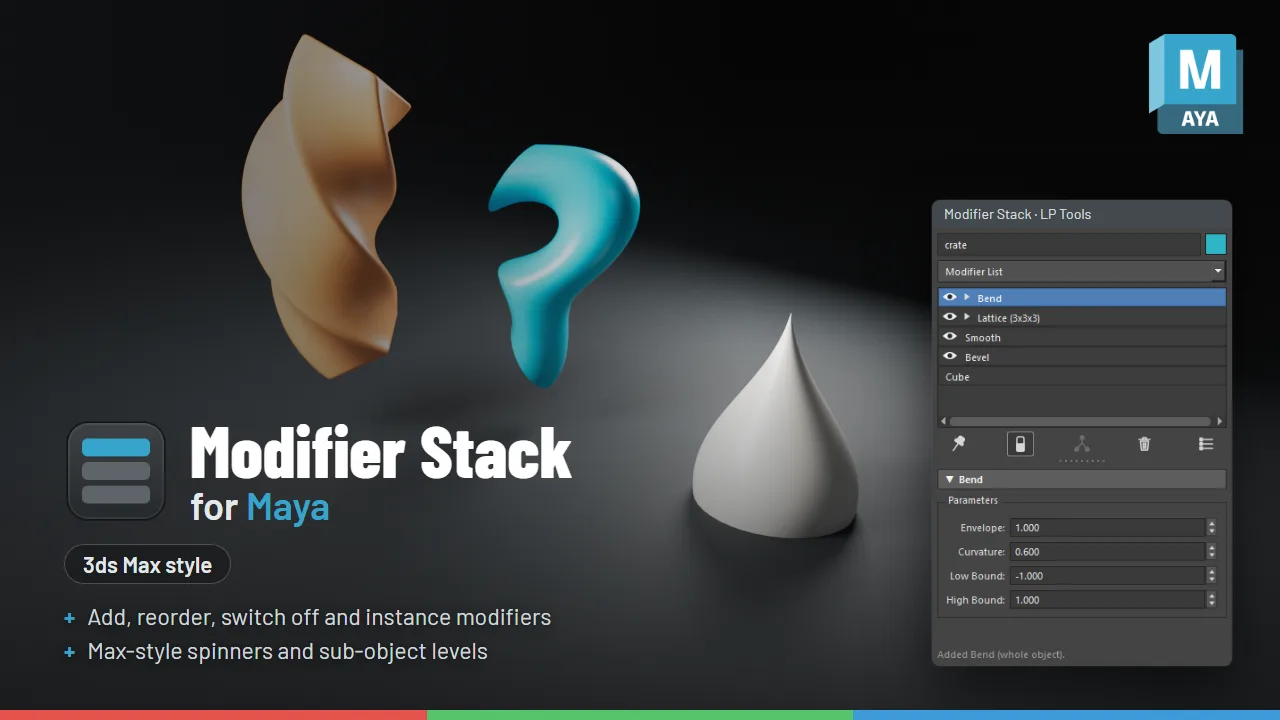
What it does
- A Modify panel with a stack you can reorder
- Toggle any modifier on and off
- Non-destructive workflow on top of Maya's own nodes
The 3ds Max modifier stack, in Maya
Modifier Stack turns an object’s construction history and deformers into a Max-style Modify panel. Add modifiers from a list, switch them on and off, drag to reorder, instance them across objects and collapse the stack, all in one dockable panel. It keeps Maya’s own names (Bevel, Smooth, Bend, Lattice and so on), so it feels like Max but reads like Maya.
Why it exists
Maya already has most of what a modifier stack needs: every operation is a history node, deformers chain one after another, and you can switch nodes off, reorder deformers and delete history. What it lacks is a sensible way to manage all of that. Once an object has more than a few nodes, digging through the Node Editor or the Attribute Editor tabs becomes unworkable. Modifier Stack puts that history in one list you can actually work with.
What you get
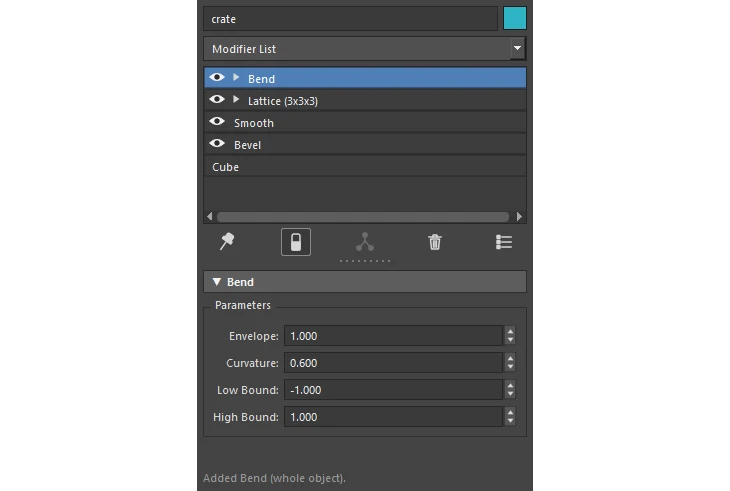
- The stack: the eye switches a modifier off, dragging a row reorders it, and Show End Result previews the whole stack while you edit a lower row.
- Modifier List: about 30 mesh operations and deformers, A to Z. Type a letter to jump. Selected faces, edges or vertices limit the new modifier to just those.
- Modifier set buttons: make named sets of your favorite modifiers and show them as one-click buttons.
- Max-style spinners: drag the arrows to change a value (Ctrl faster, Alt slower, one undo per drag) and right-click to reset. Keyed values show red brackets and get a new key when Auto Key is on.
- Sub-object levels: Vertex, Edge, Border Edge, Face and Shell on the mesh (keys 1 to 5), plus Handle on Bend, Twist and the other nonlinear deformers, Lattice Points, Cluster Pivot and projection manipulators.
- Instancing: add a modifier to several objects at once and they share it. Paste Instanced, Make Unique and Copy Entire Stack are included.
- Collapse: collapse to here or collapse all, the same as deleting history up to that point.
- Base object settings: select the bottom row to edit the original creation settings, such as a Cube’s width, height, depth and subdivisions.
Included modifiers
Bend, Twist, Flare, Squash, Sine, Wave, Lattice (2x2x2, 3x3x3, 4x4x4), Cluster, Texture Deformer, Blend Shape, Bevel, Extrude, Smooth, Mirror, Soften Edge, Reduce, Reverse Normals, Triangulate, Average Vertices, Move Vertex, Fill Hole, Merge Vertices, Delete Faces, Cut Faces, Lock Normals, Planar Mapping and Automatic Mapping. History made by other tools shows up in the stack too, such as Tweak and Skin Cluster.
Requirements
For Maya 2025, 2026 and 2027. Tested in Maya 2025 and 2027. Maya 2026 runs the same Python as 2025.
Good to know
Modifier Stack is a bit experimental. Collapse To Here and Paste are the least tested parts, so try them on a duplicate first. Reordering can break modifiers that store component numbers, and Ctrl+Z undoes it. Feedback is welcome: tell us which modifiers and orders work, what breaks and what you would like it to do next at support@LPTools.store.
FAQ
Does Maya have a modifier stack?
Maya keeps a construction history, but it has no 3ds Max style modifier stack panel. Modifier Stack for Maya adds one.