Mixamo Auto Control Rig Not Working in Maya 2022 and Later
Why the old Mixamo Auto Control Rig script fails in newer versions of Maya, and a free Python 3 update that works in Maya 2024, 2025 and 2027.
If you try the old Mixamo Auto Control Rig script in a recent version of Maya and it throws errors in the Script Editor or never opens its window, you have hit a Python version problem, not a problem with your character.
Why it stopped working
Mixamo’s Auto Control Rig was written for Python 2. Starting with Maya 2022, Python 3 is the default, and the old code uses Python 2 syntax and modules that no longer exist there. The result is syntax errors or import errors the moment you load it. Mixamo stopped updating the script years ago, so there was no official fix.
The fix
A community compatibility update ports the script to Python 3. It keeps the original tool’s behavior and is free. It is not an official Adobe or Mixamo release, and Adobe and Mixamo do not support it.
- Built from the original Auto Control Rig v1.6.0.
- Works in Maya 2024, 2025 and 2027. Maya 2026 uses the same Python as 2025.
- Original authors credited. See the tool page for the credits and the no-rights note.
What it does
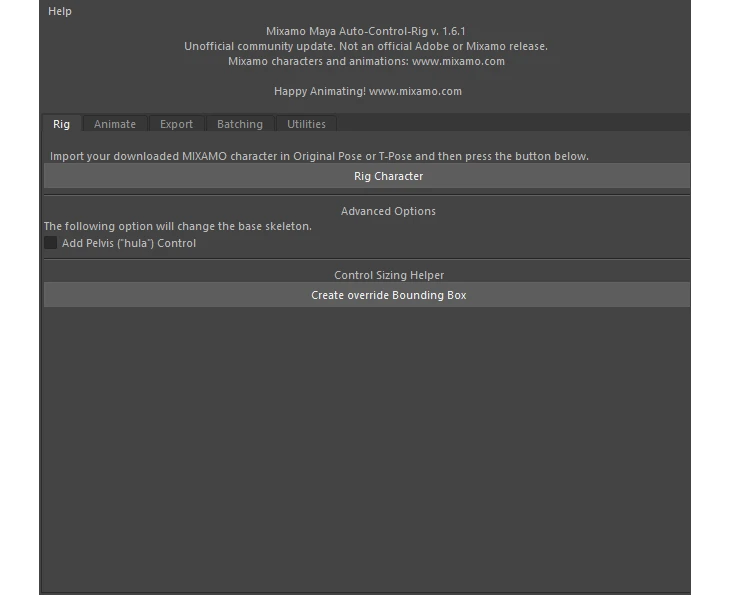
Once it runs, it builds a control rig on a character autorigged by Mixamo, so you can edit Mixamo motions or keyframe your own animation. It adds FK/IK arms and legs, keyable animation multipliers, bake and clear controls, facial controls on compatible characters, and batch import and export tabs.
Getting it
See Mixamo Auto Control Rig for Maya for the full feature list and download. You will need a character from mixamo.com, downloaded as an FBX. Characters and animations are not included.
If you are on Maya 2022 or 2023
The update has been tested in Maya 2024, 2025 and 2027. We have not tested it in 2022 or 2023, so we can’t promise it works there.
Related tool: Mixamo Auto Control Rig for Maya. Builds a control rig on a Mixamo character so you can animate it by hand instead of using the baked Mixamo motion.